Droplet Photography
Step One: Getting ardunio to talk to the camera and flash.
My camera is Canon Powershot G10 which has a external trigger port. The port is a standard 2.5mm stereo plug. I got the pinout from pinoutguide.com. Pin 1 is the shutter, pin 2 is focus and pin 3 is ground.
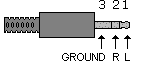
Shorting pin 1 to pin 3(ground), makes the camera take a picture. I used a 2.5mm to 3.5mm converter cable to connect to the circuit.
The flash I had was a Canon Speedlite 220EX. It did not have PC Sync Cable port, so I had to get a flash hot shoe with PC Sync port. I used a PC Sync to 3.5mm converter cable to connect to the circuit. To get the flash to trigger I simply had to short the two pins of the PC Sync Cable.
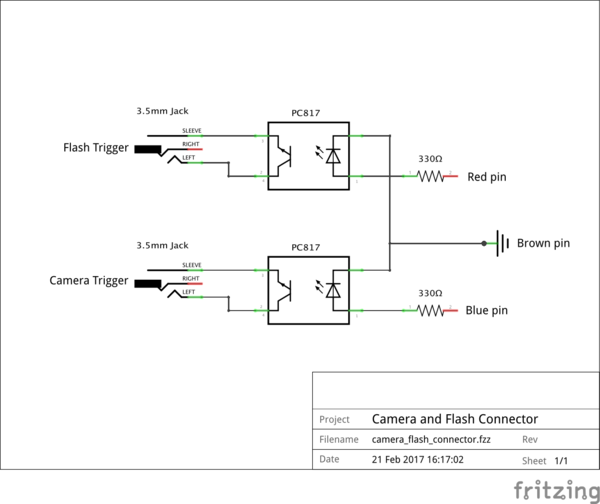
I used Sharp PC817 optoisolators to short the pins. This will keep the arduino safe from high voltages from the flash.
Circuit schematic:
Final setup:
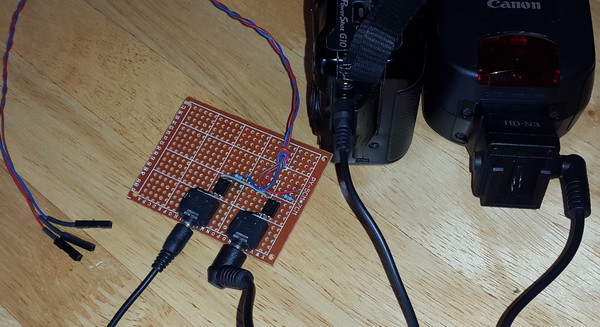
Brown is ground. To trigger flash red should be set to high. To take a photo blue shoudl be set to high.
Step Two: Dropping Coins.
I did not have an electronic water valve to control water drops, so to test out the trigger I made a setup to take pictures of coins dropping in water.
Circuit schematic:
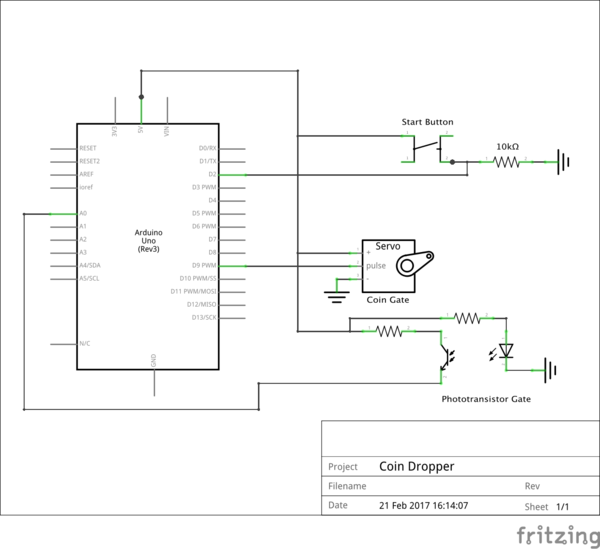
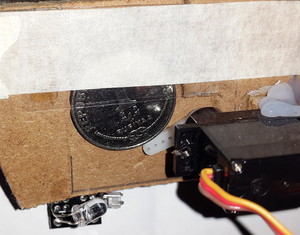
Servo controlled coin gate:
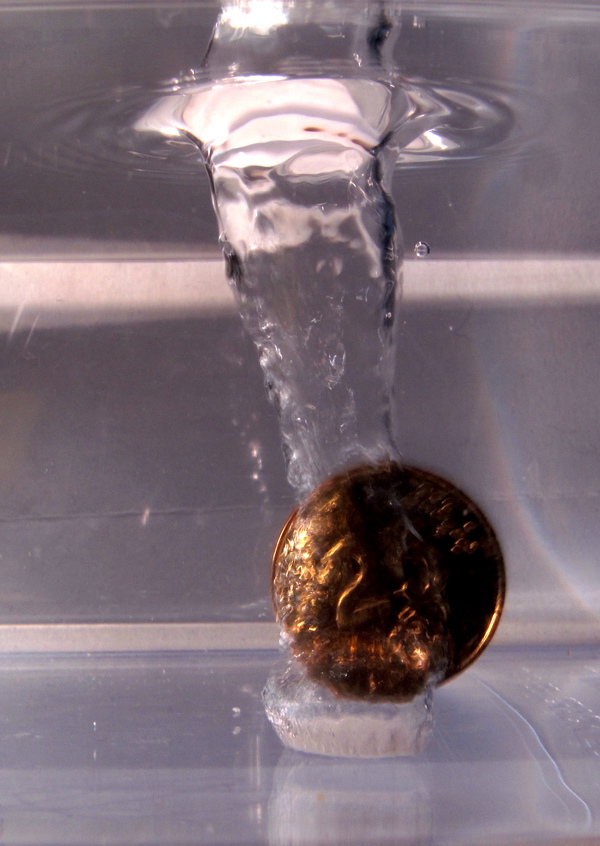
This is the result: